
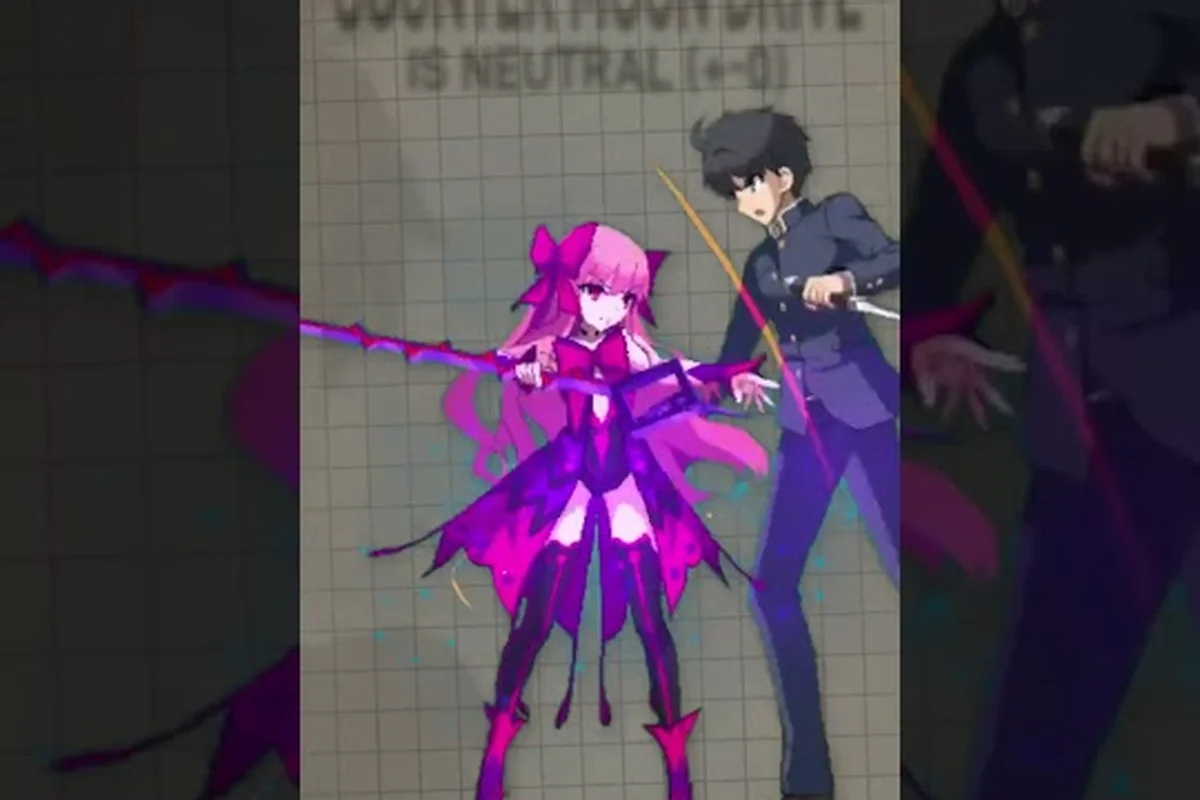
Melty Blood: Twi-Lumina ships with two control schemes sitting side by side, and the choice between them shapes how every round feels. According to coverage from Automaton, the new entry breaks with tradition by offering Act mode for streamlined play and Duel mode for veterans who want full motion input depth, with a one-button special mode layered on top to lower the entry barrier. Getting comfortable with the Melty Blood: Twi-Lumina controls before launch means understanding what each scheme actually changes, and the report below maps every confirmed difference.
Why the Control Split Exists in Twi-Lumina
The Melty Blood: Twi-Lumina control guide conversation starts with the engine's design philosophy. Type Lumina, the predecessor released in 2021, leaned on a unified scheme that assumed every player could execute quarter-circles and dragon punch motions from a standing start. Twi-Lumina widens that on-ramp without sacrificing the depth veterans rely on, because the same combat sandbox needs to teach new players the Lumina gauge, the Gauntlet, and the revised Rapid Beat while still rewarding decade-long Melty Blood mains. The solution is two parallel control surfaces plus an optional simplified special input layer.
This matters because the new systems introduced in this entry — the Lumina gauge replacing the Moon gauge, the Gauntlet universal mid-screen tool, and the enhanced Rapid Beat routes — all demand different input timings depending on which scheme you choose. A Gauntlet follow-up in Act mode is a single button press, while the same situation in Duel mode requires a directional input plus the button to land the cancel cleanly. That distinction cascades into how you spend meter, how you extend combos, and which characters feel the strongest under your hands.
What Type Lumina Taught the Developers
Type Lumina's official how-to guide, still hosted at the developer's site, treats movement, dash, jump, air options, guard, and the Rapid Beat chain as foundational vocabulary. Twi-Lumina inherits that vocabulary but adds a gauge layer that the predecessor did not have. The act of teaching the same fundamentals while layering a new economy on top created pressure to widen the control surface, and that pressure is the reason you now see Act mode and Duel mode sitting next to each other in the options menu rather than a single recommended default.
The Melty Blood: Type Lumina official how-to guide remains the cleanest reference for movement and Rapid Beat basics, because the underlying engine is largely carried over. If you have not touched the series since Type Lumina, the controls list there is the most direct bridge into Twi-Lumina's pre-launch training mindset.
Act Mode Controls: The Streamlined Surface
The Melty Blood: Twi-Lumina act mode controls were designed to keep the action legible when a player is still learning what a Lumina gauge even is. The headline feature is that special moves can be executed with single button presses rather than motion inputs, which removes the most common reason new players drop fighting games in the first week. The result is a control surface that behaves more like a modern action game than a traditional 2D fighter, while still using every button on a standard gamepad or arcade stick.
The simplified layer is most useful during the Grand Scenario Mode, the Kinoko Nasu-written campaign that Noisy Pixel and Saiga NAK both report runs roughly five to seven days of recorded dialogue across the Souya City adventure. The single-player loop is long enough that forcing every player to learn quarter-circles on day one would be hostile design, so Act mode gives the campaign a friendlier default.
| Input | Act Mode Behavior | Intended Use |
|---|---|---|
| Light Attack (A) | Standing jab chain, auto-combos on repeat | Pressure, hit confirms |
| Heavy Attack (B) | Launcher, dash cancellable | Combo starter, mid-screen push |
| Special Button (C / dedicated) | Executes character special with directional held | Removes motion input barrier |
| Rapid Beat (A+B) | Auto-routes to next chain hit | Chain extension without manual timing |
| Arc Drive (A+B+C) | Single-input super | Finisher, health-cost option |
| Guard (Hold back) | Standard block | Defense |
The single special button is the headline change, but the rest of the Act mode surface is what keeps combat from feeling shallow. You can still cancel normals into specials, still route Rapid Beat by holding forward plus the chain button, and still confirm into Arc Drive at the right height — the motion inputs are just removed, not the decision making.
When Act Mode Is the Right Choice
Act mode is the right choice when you are learning the game, running the Grand Scenario for the first time, or playing on a controller you do not fully trust. The motion-input-free specials also help anyone who plays on a d-pad with a thumb injury, on a touchscreen, or on a travel controller with mushy diagonals. If you primarily care about the story, the story length and ending guide sits well alongside an Act mode playthrough, because both assume a player who wants narrative momentum over frame-perfect optimization.
Duel Mode Controls: The Traditional Surface
The Melty Blood: Twi-Lumina duel mode controls are what the competitive community will live in. Every motion input from the series' history is restored, special moves require the correct quarter-circle, half-circle, or dragon punch motion, and Rapid Beat follow-ups demand manual timing on directional plus the chain button. Automaton's August 2026 report confirmed that the game ships with both schemes live from the title screen, so Duel mode is not a hidden unlock or a post-launch patch.
The trade-off is steeper early but more rewarding long-term. Duel mode lets you cancel normals into specials with a single motion rather than a button press plus a direction, which trims frames off every combo. Over the course of a round, those saved frames add up to a noticeably higher damage ceiling and a wider variety of okizeme setups. That is why the same characters feel different in the two modes — the input cost is built into how the developers balanced damage and meter gain.
| Input | Duel Mode Behavior | Why It Matters |
|---|---|---|
| Quarter-Circle Forward + P | Standard projectile or advancing special | Core combo routing |
| Dragon Punch Motion + P | Anti-air reversal | Defense against jump-ins |
| Half-Circle Back + K | Long-reaching rekka or command normal | Screen control, okizeme |
| Rapid Beat (Forward + A+B in chain) | Manual timing required for each follow-up | Damage optimization |
| Lumina Burst (Dash + Heavy) | Converts Lumina gauge into frame advantage | Round-turning mechanic |
| Gauntlet (Quarter-Circle Back + A+B) | Universal launcher, costs Lumina | Mid-screen combo extender |
The Duel mode table is where the Melty Blood: Twi-Lumina one button special mode stops being relevant, and where motion input discipline takes over. A Gauntlet follow-up in Duel mode is a clean quarter-circle back plus a button press; the same input in Act mode is a single dedicated button. Both routes land the move, but the frame windows and the cancel options downstream are not identical.
Motion Input Discipline From Day One
The simplest habit that separates Duel mode beginners from intermediates is committing the seven core motions to muscle memory before launch: quarter-circle forward, quarter-circle back, dragon punch forward, reverse dragon punch, half-circle forward, half-circle back, and the 720 for command grabs. The Melty Blood: Twi-Lumina throw break guide maps the same hand discipline, because a throw break in Duel mode uses a forward or back throw motion plus the throw button, and the difference between a clean break and a missed input is the same finger path you use to confirm into a special.
One-Button Special Mode: The Optional Simplifier
The Melty Blood: Twi-lumina one button specials system sits as an optional layer on top of either Act or Duel mode. The setting is a toggle, not a separate scheme, which means you can pair it with Duel mode if you want classic motion routes for normals but button-press routes for specials, or you can leave it off entirely and execute every special by hand. That flexibility is unusual in the genre and is one of the more genuinely new design choices the entry ships with.
Coverage from Noisy Pixel and Saiga NAK both noted that the simplified control styles were shown ahead of the Tokyo Game Show 2026 demo build. The TGS build let players switch the simplified layer on and off between matches, which suggests the developer wanted public feedback on the input feel before locking the default. If you are planning to play the demo at TGS or any pre-release event, taking thirty seconds in training mode to test the toggle is worth the time.
| Combination | Motion Required | Special Result | Best For |
|---|---|---|---|
| Duel + One-Button OFF | Full motion input | Traditional execution | Ranked, tournaments |
| Duel + One-Button ON | Direction + button | Standard routing | Hybrid comfort |
| Act + One-Button OFF | Direction + button (forced) | Act mode specials | Players who prefer pressing a single button |
| Act + One-Button ON | Single button press | Maximum simplification | Newcomers, story mode |
The one-button toggle is also the cleanest way to play the game on a fightstick with a single-button special mapping, a Hit Box-style leverless controller, or a keyboard where motion inputs feel awkward. According to the MELTY BLOOD: TWI-LUMINA Steam listing, the PC version is built with keyboard play in mind from day one, which lines up with the simplified input design.
When to Leave the Toggle On or Off
A practical rule of thumb: keep the one-button toggle on for the first ten hours of play, then turn it off and re-learn the seven core motions before attempting ranked. The reason is that ranked matchmaking in the Act vs Duel mode discussion becomes uneven when input parity is not guaranteed. Most competitive scenes will standardize on Duel mode with the one-button toggle off, because that is the surface where frame data and combo routes are tested in lab work. If you plan to climb, practicing with the toggle off is the cheaper path.
Choosing Your Scheme Before Launch
The Melty Blood: Twi-Lumina control guide conversation only matters if it changes how you prepare before the April 2027 release window. The five practical questions below help most players lock in a starting scheme in under five minutes, and they map directly to the verified data points in the pre-release coverage.
| Player Profile | Recommended Scheme | Reason |
|---|---|---|
| Brand new to fighting games | Act mode + One-Button ON | Lowest barrier, fastest learning |
| Returner from Type Lumina | Duel mode + One-Button OFF | Closest to muscle memory |
| Casual story player | Act mode + One-Button ON | Best for Grand Scenario pacing |
| Aspiring ranked player | Duel mode + One-Button OFF | Frame data parity with the meta |
| Hybrid / unsure | Start Act, transition to Duel after 10 hours | Low-risk ramp |
The Melty Blood: Twi-Lumina improvement guide pairs well with whichever scheme you pick, because the practice routine recommendations assume either input surface. The same drills work — motion input buffers, Rapid Beat timing, Gauntlet confirms — but the time it takes to internalize them differs. Players who start in Act mode and transition to Duel mode typically need a dedicated two-week window to unlearn the button-press habits and replace them with clean motions.
A Four-Week Pre-Launch Practice Plan
If you want to enter the ranked ladder on day one with a coherent control setup, a four-week ramp is the most realistic path. Week one is Act mode and one-button specials, focused on learning the Lumina gauge, the Gauntlet, and the Rapid Beat timing. Week two is Duel mode with the one-button toggle still on, focused on re-learning special motions while keeping Rapid Beat and Gauntlet inputs familiar. Week three is Duel mode with the toggle off, focused on building the seven core motions into muscle memory. Week four is lab work and ranked warmups, focused on confirming combos from any starter and reading opponent pressure patterns.
The plan is not unique to this game — the same four-week structure shows up in nearly every modern fighter's ranked climb guide — but the Melty Blood: Twi-Lumina simplified controls design makes the first week easier than it would be in a traditional input scheme. That is the practical reason to use the entry's unique flexibility rather than forcing a single mode from day one.
Frequently Asked Questions
What is the difference between Act mode and Duel mode controls in Melty Blood: Twi-Lumina?
Act mode uses simplified inputs where special moves are triggered by pressing a single button plus a direction, while Duel mode requires full motion inputs like quarter-circles and dragon punch motions for every special. Act mode also auto-routes Rapid Beat follow-ups, while Duel mode demands manual timing on directional plus the chain button for each extension. Both modes are available from the title screen and can be switched between matches.
How do one-button specials work in Melty Blood: Twi-Lumina?
The Melty Blood: Twi-Lumina one button special mode is an optional toggle that lets you execute any character special move with a single button press rather than a motion input. The toggle can be paired with either Act or Duel mode, so you can keep classic normal motion routes while simplifying only your special execution, or simplify everything. The setting is found in the controls options menu and was first shown in the Tokyo Game Show 2026 demo build.
Can I switch control schemes mid-session?
Yes. The control scheme is selected per-session and can be changed in the options menu between matches or between Act and Duel mode runs. The one-button special toggle is a separate setting that persists once you lock it in. According to the pre-release coverage, the developer made both surfaces hot-swappable specifically so players could try the TGS demo and give feedback on input feel.
Should beginners use the simplified controls in Melty Blood: Twi-Lumina?
Yes. The Melty Blood: Twi-Lumina simplified controls are designed as a learning ramp, not a permanent crutch. Most new players benefit from starting in Act mode with one-button specials on, then transitioning to Duel mode with the toggle off after roughly ten hours of play. This sequence gives you time to learn the Lumina gauge, Gauntlet, and Rapid Beat systems before you have to focus on motion input discipline.
Do the control schemes affect combo damage or ranked balance?
Yes, indirectly. Duel mode with the one-button toggle off produces cleaner cancel windows and slightly higher damage ceilings because the input cost is lower. Most competitive scenes will standardize on Duel mode with the toggle off for ranked and tournaments, which means players who plan to climb should plan to learn the seven core motions before they queue up. Casual and story play is unaffected by the choice.